
Review Images in LabCAS for PHI/PII and Validation Issues
This page provides instructions for reviewing DICOM images in LabCAS or locally at your site. The purpose of this review is to confirm whether flagged files contain remaining PHI/PII, site-identifying information, burned-in annotations, or other validation issues that need to be resolved before publication or release.
Use the Reconciliation Report provided by JPL IC to identify the files that need review.
When to use LabCAS vs. local review
For images already uploaded to LabCAS, reviewers may inspect the images directly in the LabCAS User Interface.
For newly uploaded or pending files that are not yet available in LabCAS, reviewers should inspect the images locally at their site using their preferred DICOM viewer.
Review images in LabCAS
Step 1: Log in to LabCAS
Access the LabCAS User Interface:
Step 2: Search for the file
Copy the LabCAS File Name from the Reconciliation Report and paste it into the full search box in the upper right corner of the LabCAS User Interface.

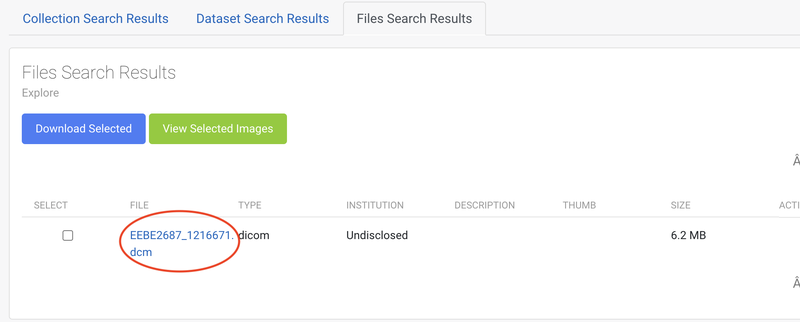
Step 3: Open the image file
Click on the file name in the File Search Results tab to open the file record.
Step 4: Open the image
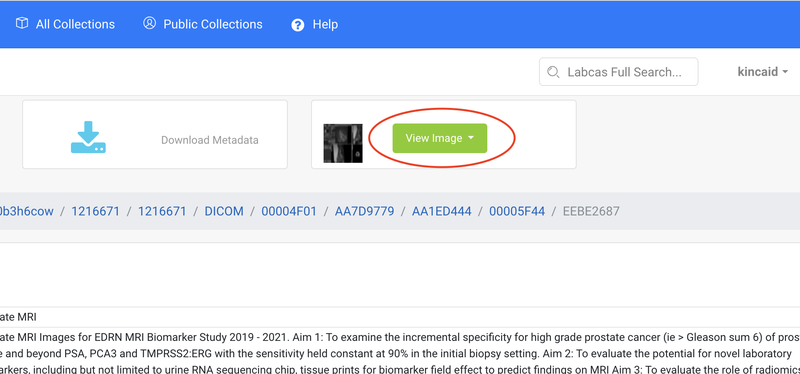
Click View Image and select either available DICOM viewer to open the image.
Step 5: Review the image
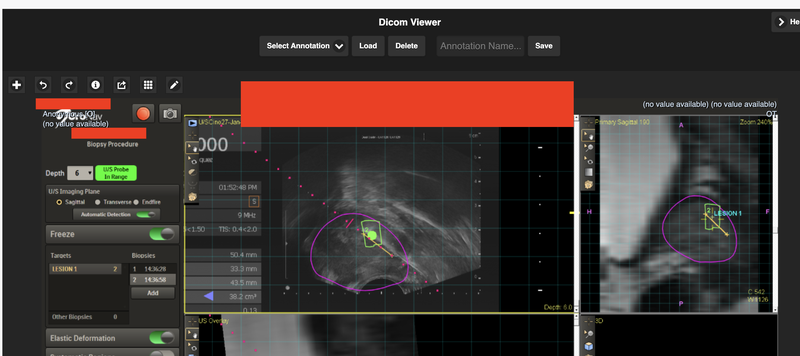
Based on the "Detected Value" and "Validation Issue" in the report, please conduct a thorough review of the image to identify any potential PHI/PII or validation errors.
For Possible Burned-in PHI/PII (Pixels), review the image.
For Possible PHI/PII in Header or Missing Required Tags, open the DICOM header to find the tag and review the value.
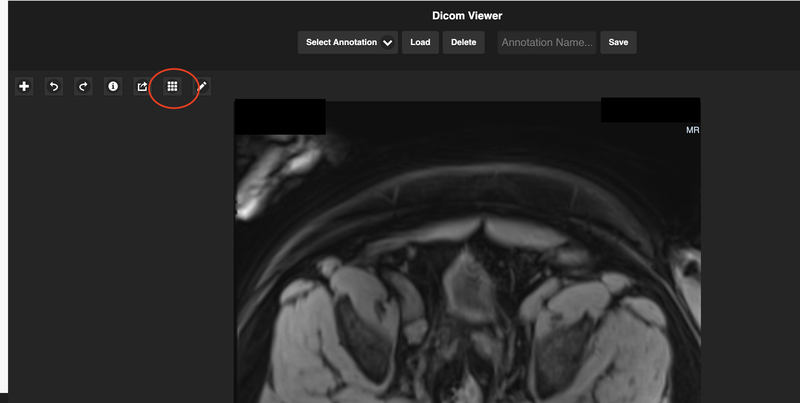
Click on the grid icon.
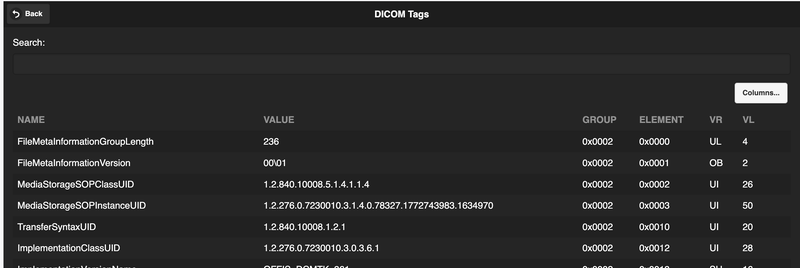
Search to find the tag and review the value.
Step 6: Complete the Reconciliation Report
In the Reconciliation Report, select the appropriate action for each reviewed file.
Example actions may include:
- No Issue / False Positive
- Needs Deletion & Re-upload
- Needs Metadata Update
- Needs DMCC/JPL Review
- Follow-up Needed
Step 7: Finalize and submit
Once the review is complete, Contact the JPL IC to send the finalized Reconciliation Report back in a secure manner.
Do not email DICOM files or reports containing PHI/PII unless a secure transfer method has been approved.